

How to Choose the Right UniFi Switch for Your Business, Office, School, Hotel, or Enterprise Network
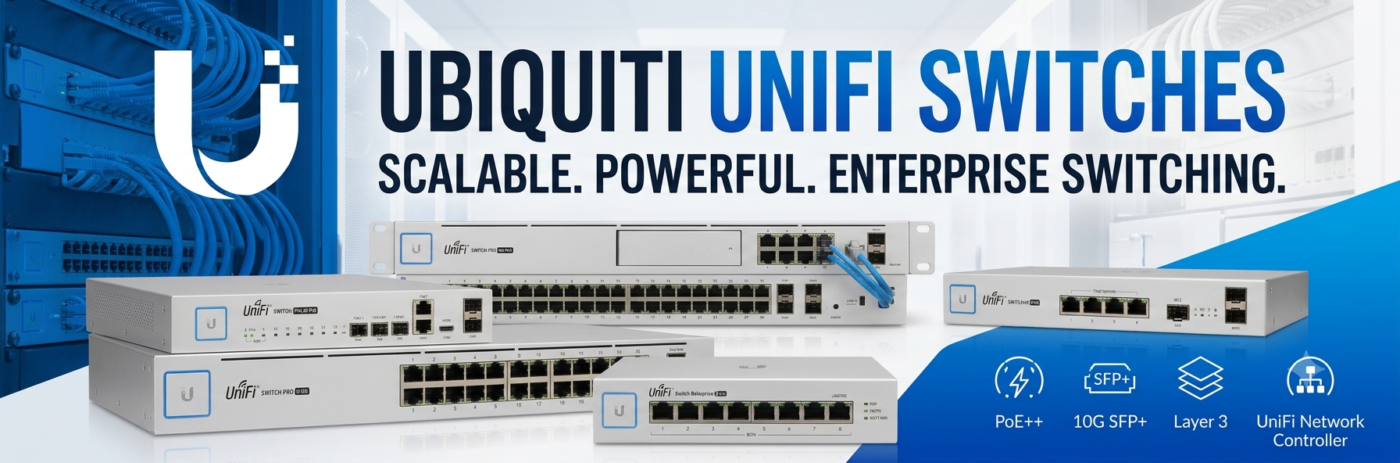
A network is only as strong as the switch that connects it. Whether you’re deploying a small office, upgrading a business network, expanding a hotel WiFi infrastructure, or building an enterprise campus, choosing the right Ubiquiti UniFi Switch is essential for ensuring reliable connectivity, efficient traffic management, and future scalability.
Unlike unmanaged switches that simply connect devices together, UniFi Switches provide intelligent network management, advanced security features, Power over Ethernet (PoE), VLAN support, traffic prioritization, and centralized monitoring through the UniFi Network Application. They are designed to work seamlessly with UniFi Access Points, UniFi Gateways, IP cameras, VoIP phones, and other network devices, creating a unified ecosystem that simplifies deployment and ongoing management.
Whether you’re connecting a handful of devices or hundreds of users across multiple buildings, this buying guide will help you understand the different UniFi switch families, compare their capabilities, and choose the best model for your network.
Why Choose Ubiquiti UniFi Switches?
Businesses around the world rely on Ubiquiti Switches because they combine enterprise networking features with straightforward management and exceptional scalability. Instead of managing each network device separately, administrators can configure, monitor, and troubleshoot the entire network from a single dashboard.
Some of the advantages of deploying UniFi Managed Switches include:
- Centralized cloud-based management
- Enterprise-grade Layer 2 and Layer 3 capabilities
- Power over Ethernet (PoE) for access points, IP phones, and surveillance cameras
- VLAN support for network segmentation
- Advanced traffic monitoring
- Link aggregation for higher bandwidth
- High-speed 2.5GbE and 10GbE connectivity on selected models
- Seamless integration with the UniFi ecosystem
- Scalable deployment for growing businesses
From small offices to enterprise data centres, UniFi Switches provide reliable wired networking while simplifying administration.
At a Glance: Quick Switch Recommendations
If you need an immediate hardware match for your project, here is our quick recommendation matrix:
|
Deployment Need |
Recommended Switch Model |
Key Advantage |
|
Best Budget & Small Office |
UniFi Lite 8 PoE / Lite 16 PoE |
Compact, fanless Layer 2 switching with reliable PoE+ output |
|
Best Desktop & Edge Expansion |
UniFi Ultra Series / Flex Mini |
Versatile mounting, compact footprint, powered via PoE input |
|
Best Workhorse for Standard SMB |
UniFi Switch 24 PoE / 48 PoE |
Reliable 1GbE rackmount switching with 1G SFP fiber uplinks |
|
Best for Wi-Fi 7 & Multi-Gig |
UniFi Pro Max 24 PoE / 48 PoE |
2.5 GbE ports, high-wattage PoE++, 10G SFP+, and Etherlighting |
|
Best High-Power CCTV & AV |
UniFi Pro 24 PoE / Pro 48 PoE |
Layer 3 routing, 10G SFP+ uplinks, high-budget PoE++ (802.3bt) |
|
Best Fiber Core Aggregation |
UniFi Switch Aggregation / Pro Agg |
10G SFP+ / 25G SFP28 high-density optical aggregation |
|
Best Enterprise Campus Core |
UniFi Enterprise Campus 24/48 PoE |
High-density 10GbE copper, 25G/100G uplinks, redundant power |
Managed vs Unmanaged Switches
One of the first decisions when purchasing a network switch is whether you need a managed or unmanaged device.
|
Feature |
Unmanaged Switch |
UniFi Managed Switch |
|
Plug-and-play |
✓ |
✓ |
|
VLAN Support |
✗ |
✓ |
|
Traffic Monitoring |
✗ |
✓ |
|
PoE Management |
✗ |
✓ |
|
Remote Management |
✗ |
✓ |
|
Network Security |
Basic |
Advanced |
|
UniFi Controller Integration |
✗ |
✓ |
For businesses, schools, hotels, healthcare facilities, and organizations with multiple connected devices, a managed UniFi Switch provides significantly greater flexibility, security, and long-term scalability.
Understanding the UniFi Switch Product Families
UniFi Lite Switches
The UniFi Lite Series is designed for small businesses and home offices requiring reliable Layer 2 switching with optional PoE support.
Ideal for:
- Small offices
- Retail stores
- Home businesses
- Reception areas
Typical models include:
- UniFi Switch Lite 8 PoE
- UniFi Switch Lite 16 PoE
UniFi Standard Switches
The Standard Series provides additional port density and higher switching capacity, making it suitable for growing organizations.
Best suited for:
- Medium-sized offices
- Educational institutions
- Professional businesses
- Branch offices
UniFi Professional (Pro) Switches
The UniFi Pro Series delivers enterprise-level performance with higher throughput, advanced Layer 3 functionality, and faster uplink ports.
Ideal for:
- Hotels
- Universities
- Corporate offices
- Healthcare facilities
- Large commercial environments
UniFi Enterprise Switches
The Enterprise Series introduces Multi-Gig Ethernet, higher PoE budgets, and high-speed uplinks for modern high-performance networks.
Best suited for:
- WiFi 6E deployments
- WiFi 7 deployments
- High-density offices
- Large campuses
Enterprise organizations
UniFi Aggregation Switches
Aggregation Switches are designed for connecting multiple switches and servers together using high-speed fibre links.
Common deployments include:
- Data centres
- Enterprise core networks
- Server rooms
- Campus backbone networks
UniFi Switch Family Comparison
Switch Family |
Best For |
PoE Available |
Layer 3 |
Multi-Gig Support |
|
Lite |
Small Offices |
✓ |
No |
No |
|
Standard |
Growing Businesses |
✓ |
Limited |
Selected Models |
|
Professional |
Medium & Large Businesses |
✓ |
Yes |
Selected Models |
|
Enterprise |
High-Density Networks |
✓ |
Yes |
Yes |
|
Aggregation |
Core Network |
No |
Yes |
10G/25G Fibre |
Which UniFi Switch Should You Buy?
Selecting the right switch depends on the number of connected devices, the types of equipment being powered, and future expansion plans.
If You Need… |
Recommended Model |
|
Up to 8 wired devices |
Lite 8 PoE |
|
Small office with access points |
Lite 16 PoE |
|
Office with IP phones and cameras |
Standard 24 PoE |
|
Business requiring Layer 3 routing |
Pro 24 PoE |
|
High-density WiFi deployment |
Enterprise 24 PoE |
|
Large enterprise network |
Enterprise 48 PoE |
|
Fibre backbone |
Aggregation Switch |
Understanding Power over Ethernet (PoE)
Many modern network devices receive both data and electrical power through the same Ethernet cable using Power over Ethernet (PoE). This eliminates the need for separate power adapters and simplifies installations.
Typical PoE-powered devices include:
- UniFi Access Points
- IP Security Cameras
- VoIP Phones
- Access Control Devices
- Network Sensors
- Digital Signage
Before purchasing a switch, verify that its PoE budget is sufficient to power all connected devices simultaneously. As your network grows, selecting a switch with additional power capacity can prevent costly upgrades.
Layer 2 vs Layer 3 Switches
Feature |
Layer 2 |
Layer 3 |
|
|
|
|
|
Device Switching |
✓ |
✓ |
|
VLAN Support |
✓ |
✓ |
|
Static Routing |
✗ |
✓ |
|
Inter-VLAN Routing |
✗ |
✓ |
|
Enterprise Networks |
Limited |
Excellent |
Most small businesses operate effectively with Layer 2 switching, while larger organizations with multiple departments or segmented networks benefit from Layer 3 capabilities.
Common Buying Mistakes
Mistake |
Why It Matters |
|
Buying too few ports |
Businesses often expand faster than expected. |
|
Ignoring PoE requirements |
Access points and cameras may require significant power. |
|
Choosing based only on price |
Lower-cost switches may limit future growth. |
|
Forgetting uplink speed |
Multi-Gig and 10GbE uplinks improve overall network performance. |
|
Mixing incompatible equipment |
Staying within the UniFi ecosystem simplifies deployment and management. |
Complete Your UniFi Network
For the best experience, pair your UniFi Switch with other Ubiquiti networking products:
- UniFi Gateways for routing, firewall protection, and centralized network management.
- UniFi Access Points for enterprise-grade wireless connectivity.
- Ubiquiti Wireless Bridges for long-distance point-to-point and point-to-multipoint networking.
- UniFi Protect for integrated IP surveillance.
Together, these products create a secure, scalable, and fully managed networking environment suitable for businesses of every size.
Frequently Asked Questions
- What is a UniFi Switch?
A UniFi Switch is a managed Ethernet switch that connects wired devices while providing advanced features such as VLANs, PoE, traffic monitoring, and centralized management through the UniFi Network Application.
- Do I need a PoE switch?
If you’re deploying UniFi Access Points, IP cameras, VoIP phones, or other PoE-powered devices, a PoE switch simplifies installation by delivering power and data through a single Ethernet cable.
- Which UniFi Switch is best for a small business?
The UniFi Lite 16 PoE or Standard 24 PoE are excellent choices for small businesses requiring reliable wired connectivity with room for future growth.
- What’s the difference between the Pro and Enterprise Series?
The Enterprise Series introduces Multi-Gig Ethernet, higher PoE budgets, and greater capacity for modern WiFi 6E and WiFi 7 deployments, while the Pro Series focuses on enterprise Layer 3 switching with excellent performance for most business environments.
- Can UniFi Switches be managed remotely?
Yes. All UniFi Managed Switches can be monitored, configured, and updated remotely through the UniFi Network Application, allowing administrators to manage networks from virtually anywhere.
Selecting the right Ubiquiti UniFi Switch is an important step in building a reliable and scalable business network. Whether you need a compact switch for a small office, a PoE solution for wireless access points and IP cameras, or a high-performance enterprise switch with Multi-Gig connectivity, the UniFi portfolio offers solutions for every deployment.
By matching your switch to your current network requirements while planning for future expansion, you can build a wired infrastructure that supports fast, secure, and efficient connectivity. When combined with UniFi Gateways, UniFi Access Points, and Ubiquiti Wireless Bridges, UniFi Switches form the backbone of a fully integrated networking ecosystem designed to grow with your organization.