

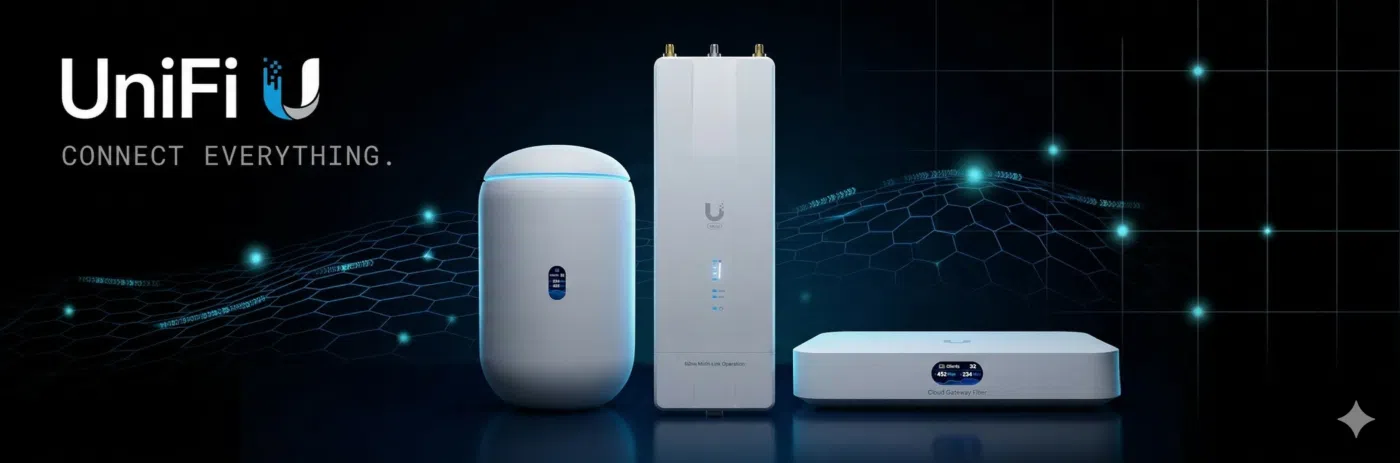
Choosing the right router is one of the most important decisions when building a business network. While internet speed often gets the most attention, the router is responsible for much more than simply connecting users to the internet. It manages network traffic, protects devices from cyber threats, enables secure remote access, controls communication between network segments, and serves as the central management point for your entire network infrastructure.
Within the Ubiquiti UniFi ecosystem, routers are known as UniFi Gateways. These enterprise-grade devices combine advanced routing, firewall protection, VPN capabilities, traffic management, intrusion detection, and centralized network administration into a single solution. Unlike traditional consumer routers, UniFi Gateways are designed to work seamlessly with UniFi Access Points, UniFi Switches, and other UniFi devices, allowing businesses to manage their entire network from one intuitive dashboard.
Whether you’re deploying a small office network, expanding a hotel WiFi infrastructure, upgrading a school campus, or designing an enterprise network, choosing the right gateway will improve network security, simplify management, and support future business growth.
This buying guide compares the most popular Ubiquiti Routers and UniFi Gateways, explains their differences, and helps you determine which solution best fits your networking requirements.
At a Glance: Quick Gateway Recommendations
If you need an immediate hardware match for your site deployment, here is our top recommendation matrix:
Deployment Need |
Recommended Gateway |
Key Advantage |
|
Best Budget & SMB |
UniFi Cloud Gateway Ultra (UCG-Ultra) |
Compact 2.5 GbE WAN gateway running full UniFi OS |
|
Best Multi-WAN & NVMe |
UniFi Cloud Gateway Max (UCG-Max) |
2.5 GbE ports across all interfaces + NVMe NVR storage |
|
Best Rackmount / All-Rounder |
UniFi Dream Machine Pro (UDM-Pro) |
1U rackmount, 10G SFP+ uplink, 3.5 Gbps IDS/IPS |
|
Best for Security & Cameras |
UniFi Dream Machine SE (UDM-SE) |
10G SFP+, integrated 8-port PoE switch, NVR bay |
|
Best High-Density Enterprise |
UniFi Dream Machine Pro Max |
Dual HDD bays, 5 Gbps IDS/IPS, 500+ device management |
|
Best All-In-One Desktop |
UniFi Dream Router 7 (UDR7) |
Desktop chassis with built-in Wi-Fi 7 and PoE output |
|
Best Mission-Critical / ISP |
Enterprise Fortress Gateway (EFG) |
25G SFP28 ports, 12.5 Gbps full SSL inspection, redundant PSUs |
Why UniFi Routers Dominate Modern Networks in Kenya
Across Kenya, businesses and IT integrators are rapidly replacing traditional subscription-heavy firewalls with Ubiquiti UniFi Cloud Gateways. The driving factors are straightforward:
- Zero Recurring License Fees: Unlike corporate firewalls that charge annual per-user or feature subscriptions for firewall updates, UniFi provides license-free threat detection, application-aware Layer 7 filtering, and content blocking.
- Multi-WAN Failover & Load Balancing: With dual-ISP requirements standard across Nairobi, Mombasa, and regional commercial hubs, UniFi gateways effortlessly balance traffic between fiber providers (like Safaricom, Zuku, or Liquid Intelligent Technologies) and 5G/Starlink backup connections.
Integrated Cloud Management: Administrators manage physical routing, site-to-site SD-WAN (Site Magic), wireless access points, switches, and IP cameras from a single UniFi Site Manager dashboard.
Matching Your ISP Speed & Network Scale
Use this decision matrix to identify which router matches your Internet bandwidth and connected device density:
ISP Bandwidth & Scale |
Recommended Gateway |
Primary Capability |
|
Up to 1 Gbps ISP |
UCG-Ultra / UXG-Lite |
1 Gbps full IDS/IPS inspection without bottlenecking. |
|
1 Gbps – 2.5 Gbps ISP |
UCG-Max / UXG-Max |
2.5 GbE RJ45 ports with 1.5–2.3 Gbps IDS/IPS routing. |
|
2.5 Gbps – 10 Gbps Fiber |
UDM-Pro / UDM-SE / UCG-Fiber |
10G SFP+ optical interfaces with 3.5 Gbps+ IDS/IPS throughput. |
|
10 Gbps – 25 Gbps Enterprise |
UDM-Pro Max / EFG |
High-throughput security engines, 12.5–25 Gbps IPS, and Shadow Mode VRRP failover. |
|
Standalone Gateway (External Controller) |
UXG-Lite / UXG-Max / UXG-Enterprise |
Pure routing hardware managed by a Cloud Key or hosted UniFi controller. |
Recommended Ubiquiti Routers by Industry Application
1. Small-to-Medium Businesses & Branch Offices
Branch locations need high security, multi-WAN redundancy, and site-to-site VPN connectivity back to headquarters.
- Top Choice: UniFi Cloud Gateway Ultra (UCG-Ultra)
- Why: Compact desktop form factor, 2.5 GbE WAN port, supports up to 30+ UniFi network devices and 300+ connected clients. Runs full UniFi Network applications out of the box.
2. Multi-Branch Corporates & Commercial Offices
Medium offices require 10G backbones, integrated security video storage, and multi-Gigabit routing.
- Top Choice: UniFi Dream Machine Special Edition (UDM-SE)
- Why: Features 10G SFP+ WAN/LAN ports, an integrated 8-port switch (including 2 PoE+ ports), a 3.5″ NVR hard drive bay for UniFi Protect cameras, and a 2.5 GbE RJ45 WAN port.
3. Hotels, Schools & High-Density Campuses
Large institutions with thousands of daily concurrent users need high-capacity security gateways capable of analyzing traffic in real time without creating network bottlenecks.
- Top Choice: UniFi Dream Machine Pro Max or Enterprise Fortress Gateway (EFG)
- Why: Enterprise-grade processing power, up to 25G SFP28 connectivity, hot-swappable dual power supplies, and stateful threat detection that scales up to 10 million concurrent sessions.
4. Remote Operations, Mobile Units & Construction Sites
Temporary sites, remote lodges, or industrial centers requiring instant high-speed broadband.
- Top Choice: UniFi Dream Router 5G Max or Cloud Gateway Industrial
- Why: Ruggedized build options with integrated 5G cellular failover or high-power PoE output directly for satellite/LEO terminals like Starlink.
Technical Architectural Considerations: Cloud Gateway vs. Next-Gen Gateway (UXG)
Ubiquiti splits its router lineup into two clear architectural categories. Understanding this distinction is essential before purchasing:
1. UniFi Cloud Gateways (All-In-One Consoles)
Models like the UCG-Ultra, UCG-Max, UDM-Pro, and UDM-SE run UniFi OS directly on the router.
- Key Feature: They host the UniFi Network application (and Protect/Talk/Access) locally. You do not need a separate Cloud Key or self-hosted server.
2. Next-Gen Gateways (UXG Series)
Models like the UXG-Lite, UXG-Max, UXG-Pro, and UXG-Enterprise are standalone router/firewalls.
- Key Feature: They do not run the UniFi OS controller software internally. They are designed for MSPs or multi-site organizations managing all gateways from a centralized external UniFi Cloud Key or cloud-hosted controller.
CyberSecure Enterprise & Site Magic SD-WAN
- Site Magic SD-WAN: Connects multiple UniFi Cloud Gateways across different geographic locations with zero complex IPsec/WireGuard configuration.
- Layer 7 Application Firewall: Identifies and filters traffic by specific applications (e.g., streaming, social media, torrents) or country regions directly at the perimeter.
Deployment Guidance: Installing for Maximum Network Uptime
To ensure uninterrupted uptime and clean throughput from your UniFi router, stick to these deployment rules:
Dual-ISP WAN Configuration
- Primary WAN: Connect your high-speed fiber link into WAN 1 (e.g., 2.5 GbE or 10G SFP+ port).
- Failover WAN: Assign WAN 2 to a secondary ISP (5G router or secondary fiber). Set the WAN mode to Failover Only for seamless automated switching when the primary link drops, or Distributed (Load Balancing) to split bandwidth across both links.
Rack & Thermal Management
- Rackmount units (UDM Pro, UDM SE, Pro Max) draw active cooling through front and rear vents. Maintain 1U space clearance or proper fan ventilation inside server cabinets, especially in ambient room conditions without dedicated air conditioning.
High Availability (Shadow Mode VRRP)
- For mission-critical corporate environments, deploy two identical Cloud Gateways (e.g., dual UDM Pro Max or EFG units) in Shadow Mode. If the primary gateway suffers hardware failure, the secondary standby gateway takes over instantly without dropping live network connections.
6 Common Mistakes When Buying Ubiquiti Routers
- Buying a UXG Gateway expecting it to run the UniFi Controller: Next-Gen Gateways (UXG) require an external controller (Cloud Key, Network Server, or Cloud Hosting) to function.
- Ignoring IDS/IPS Bottlenecks: Turning on maximum Intrusion Prevention (IDS/IPS) inspection on entry-level routers on multi-Gigabit fiber links will cap throughput to the router’s maximum CPU inspection limit.
- Overlooking NVR Storage Needs: Expecting a basic gateway to record security cameras without checking if it includes a 3.5″ HDD bay or NVMe storage (e.g., UCG-Ultra has no camera storage; UCG-Max and UDM-Pro do).
- Neglecting Fiber Transceiver Compatibility: Attempting to plug generic 3rd-party SFP+ transceivers into 10G/25G SFP ports without verifying UniFi multi-speed auto-negotiation (1G/2.5G/10G).
- Using Non-PoE Switches for High-Power Routers: Connecting desktop gateways that require high PoE+++ input without verifying the upstream switch PoE wattage budget.
- Not Budgeting for Uninterruptible Power (UPS): Plunging UniFi gateways into unconditioned power cuts risks corrupting local database files during sudden outages. Always pair rack gateways with an online UPS power backup.
Frequently Asked Questions (FAQs)
- What is the difference between UDM-Pro and UDM-SE?
The UDM-SE builds upon the UDM-Pro by adding an integrated 8-port PoE switch (6 PoE, 2 PoE+), a 2.5 GbE RJ45 WAN port (vs 1 GbE on UDM-Pro), and a built-in 128 GB SSD for fast system caching.
- Can UniFi routers handle multi-gigabit fiber internet?
Yes. Cloud Gateways like the UCG-Max, UDM-Pro, UDM-SE, and EFG support 2.5 GbE, 10G SFP+, or 25G SFP28 WAN ports designed specifically for multi-Gigabit fiber connections.
- Do I need to pay monthly fees for UniFi firewall updates?
No. Threat signatures, application identification databases, content filtering lists, and security updates are provided completely free for the life of the hardware.
- Can I use a UniFi router with non-UniFi switches and access points?
Yes. UniFi routers function as standard, high-performance firewalls and DHCP servers for any third-party switch or Wi-Fi hardware. However, using UniFi switches and APs grants full single-pane-of-glass visibility in the dashboard.
- What is UniFi Site Magic SD-WAN?
Site Magic is a feature that allows you to link multiple UniFi Cloud Gateways across different locations into a secure mesh network with a few clicks—eliminating manual VPN tunnel setup, public static IP requirements, or complex routing tables.
- Which UniFi router is best for small businesses in Kenya?
The UniFi Cloud Gateway Ultra (UCG-Ultra) is the most popular choice for small businesses. It provides enterprise firewall security, multi-WAN support, and handles up to 300 users without breaking the bank.
- How does failover work if my main ISP goes down?
The UniFi gateway continuously pings external health targets. If primary ISP packet loss or downtime is detected, traffic automatically reroutes to WAN 2 (secondary fiber, 5G, or Starlink) within seconds.
- How many cameras can a UniFi Dream Machine record?
The UDM-Pro / UDM-SE can manage up to 50 HD, 25 2K, or 15 4K cameras simultaneously when fitted with an enterprise surveillance HDD. Higher camera counts require dedicated UniFi Network Video Recorders (UNVR).
- Can I run a VPN client on the UniFi router itself?
Yes. UniFi gateways support WireGuard, OpenVPN, and IPsec VPN client configurations. You can route specific device VLANs (e.g., office smart TVs or guest networks) through an encrypted external VPN tunnel.
- Where can I source authentic Ubiquiti UniFi Gateways in Kenya?
Always purchase from authorized networking distributors and established ICT supply partners in Kenya to guarantee genuine factory warranties, official software support, and local technical assistance.
Final Recommendations & Next Steps
Selecting the right Ubiquiti router requires evaluating your network’s physical layout, ISP throughput, and required UniFi applications:
- For small-to-medium offices, choose the compact Cloud Gateway Ultra (UCG-Ultra).
- For commercial sites needing camera storage & 10G uplinks, go with the Dream Machine SE (UDM-SE).
- For high-density enterprise setups, standardize on the Dream Machine Pro Max or Enterprise Fortress Gateway (EFG).
To complete your core network stack, explore our full product categories:
- Ubiquiti Cloud Gateways & Routers
- Ubiquiti UniFi Access Points
- Ubiquiti Managed Switches
- Ubiquiti UniFi Protect NVRs & Cameras
- Ubiquiti Transceivers & Rack Accessories